How to Sign Up on APKPure
2023-07-11
Read this guide to learn how to sign up for an APKPure account on APKPure website and app.

APKPure offers the best Android games and apps in all genres. Users who have signed up on APKPure will get several benefits including personalized recommendations, early access to the pre-registered games, leaving reviews and communicating with other users, and more. In this guide, we will walk you through the process of signing up for an APKPure account on both the website and app with step-by-step tutorials.
Signing Up on the APKPure Website
Step 1: Visit the APKPure Website
To sign up for an APKPure account, visit the APKPure official website first.
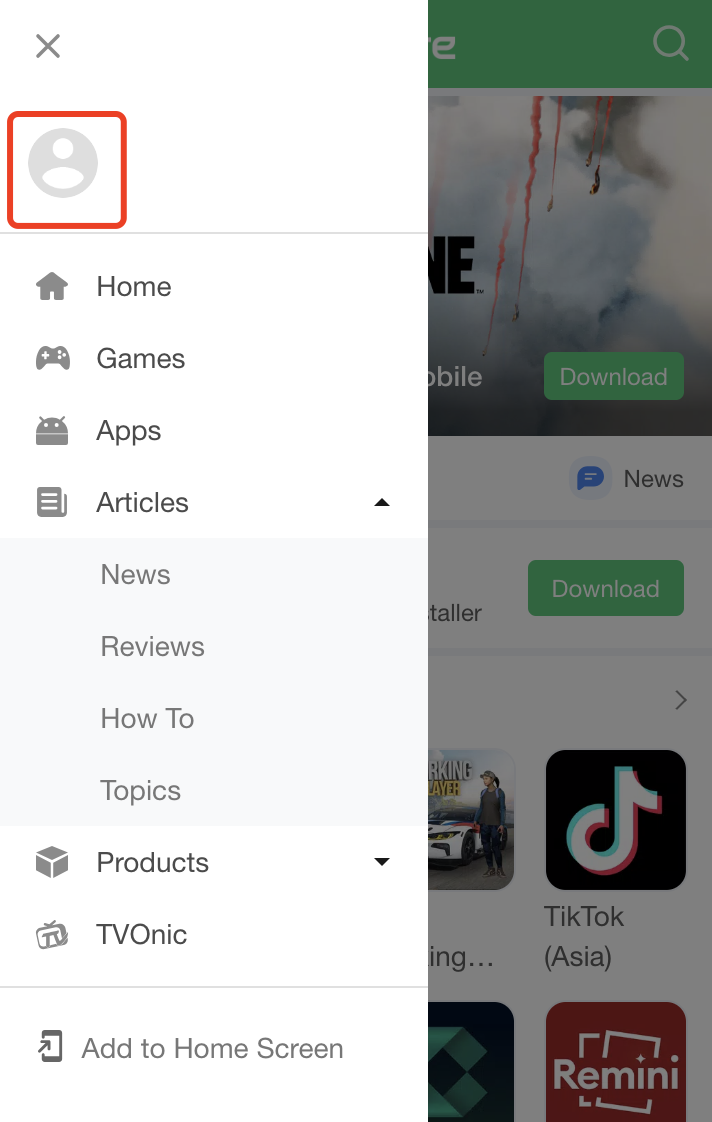
Step 2: Tap the Avatar
Tap the three horizontal lines in the top-left corner to access the menu, and then click on the avatar to enter the Login page.
Step 3: Sign up with A New Account
You can log in with your Gmail, Facebook, or Twitter account. If you want to create a new APKPure account, you can click on Sign Up at the bottom of the screen.

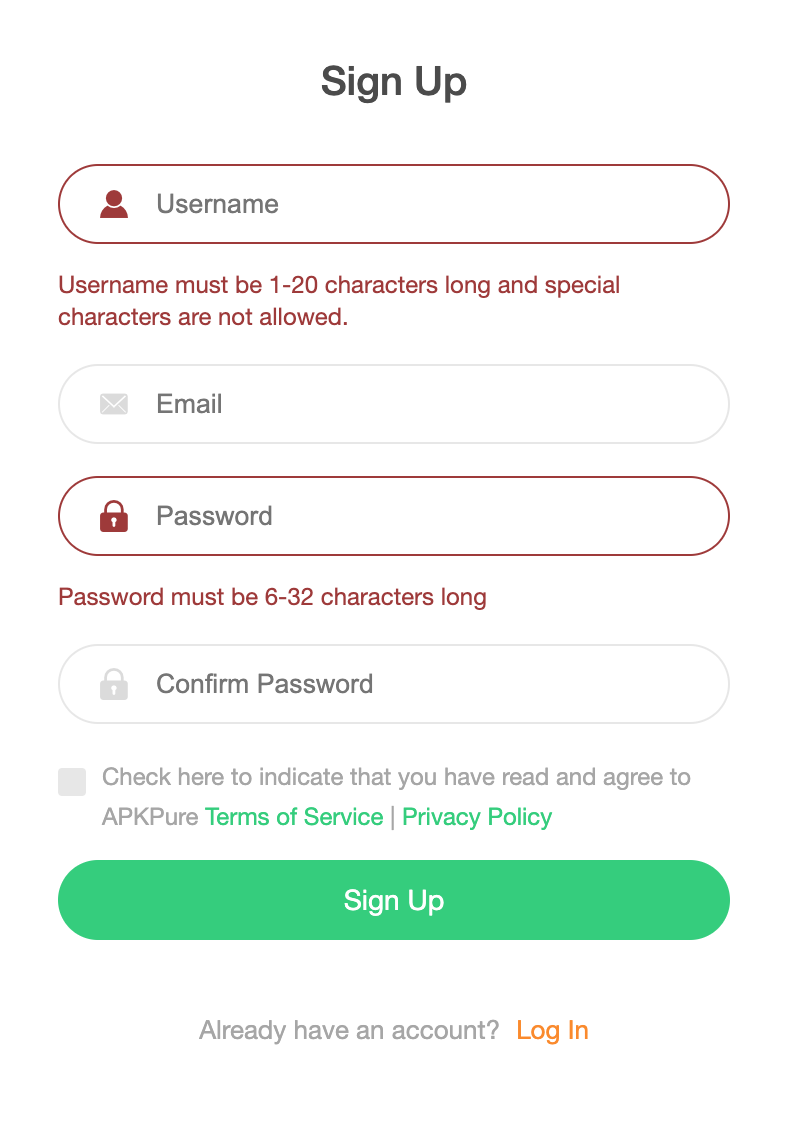
Step 4: Enter Your Details
On the sign-up page, you will be prompted to create a username, enter your email address, and set a password for your APKPure account. Ensure that you provide a valid email address, as you will need to verify it later. Additionally, choose a unique username and a strong password to protect your account.
Step 5: Agree to the Terms
Check the box above the Sign Up button to agree to APKPure's Terms of Service and Privacy Policy.
Step 6: Click the "Sign Up" Button
After agreeing to the terms, click the Sign Up button at the bottom of the form. This will submit your registration information to APKPure.
Step 7: Verify Your Email Address
Upon clicking the "Sign Up" button, APKPure will send a verification email to the address you provided during registration. Open your email inbox, locate the email from APKPure, and click on the verification link within the email. This will confirm your email address and activate your APKPure account.
Signing Up on the APKPure App
Step 1: Download and Launch the APKPure App
First, download the APKPure App and launch the app on your phone.

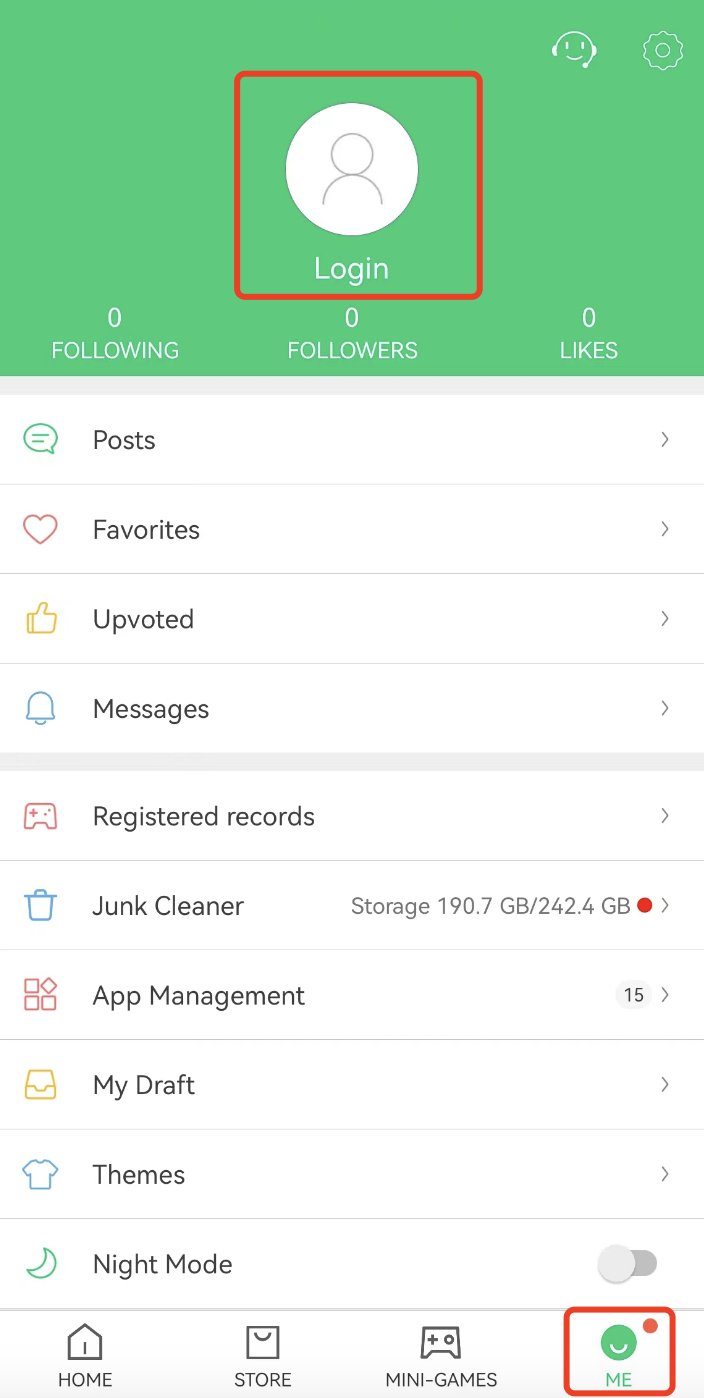
Step 2: Go to the Login Page
Tap on Me at the bottom-right of the screen. And then tap on the avatar to enter the Login page.
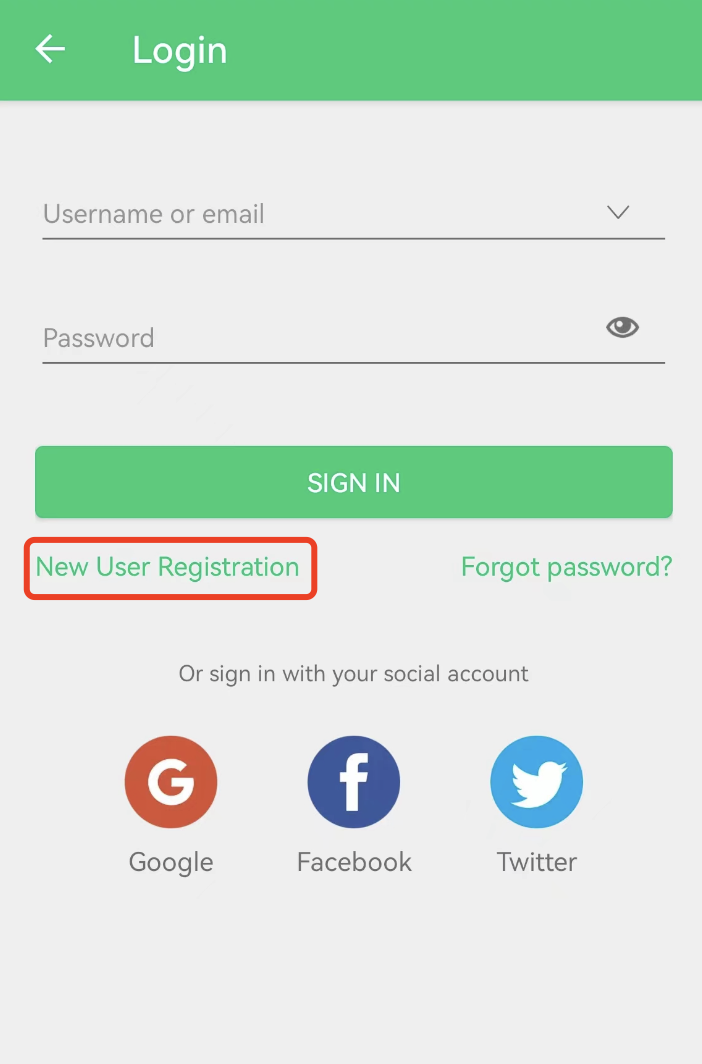
Step 3: Sign up with a New Account
You can sign in with your Google, Facebook, and Twitter account. If you don't want to use these social media accounts, just click on New User Registration under the SIGN IN button.
Step 4: Enter Your Details
Just like on the website, you will need to enter your email address, create a username, and set a password for your APKPure account.
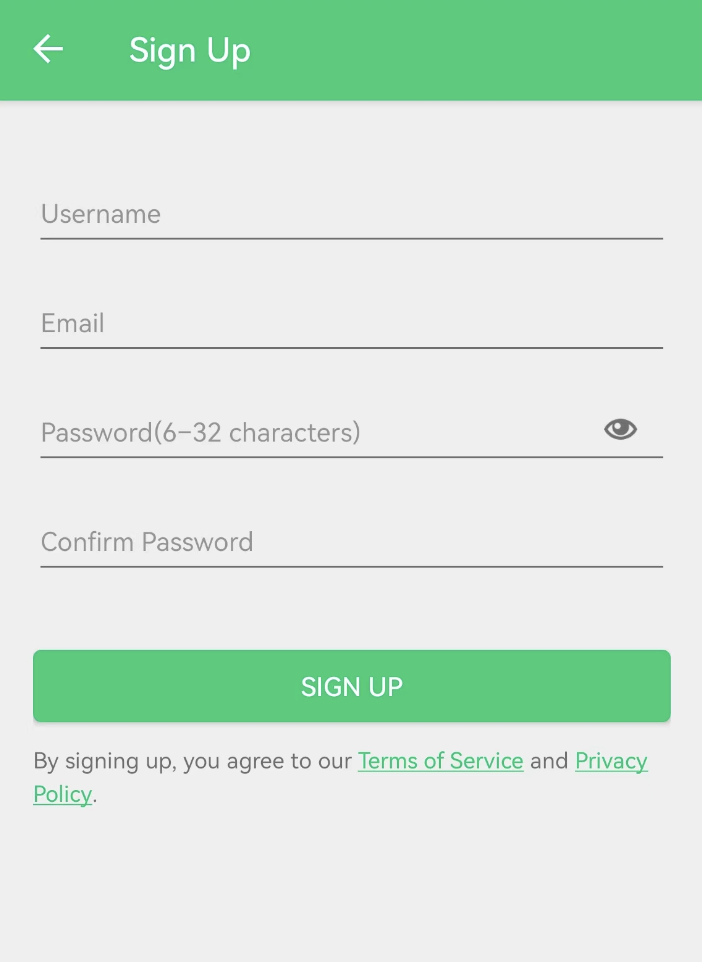
Step 5: Agree to the Terms and Verify Your Email
Once you have agreed to APKPure Terms of Service and Privacy Policy, click on the SIGN UP button. Then click on the verification link sent to your inbox to activate your APKPure account.
By following the steps above, you can quickly create your APKPure account and start exploring the extensive library of apps and games. Happy app hunting!
 NEWS
NEWS REVIEWS
 HOWTO
HOWTO