从Google Play商店下载免费的APK/XAPK文件,无需登录帐户。
立即安装

### Features:
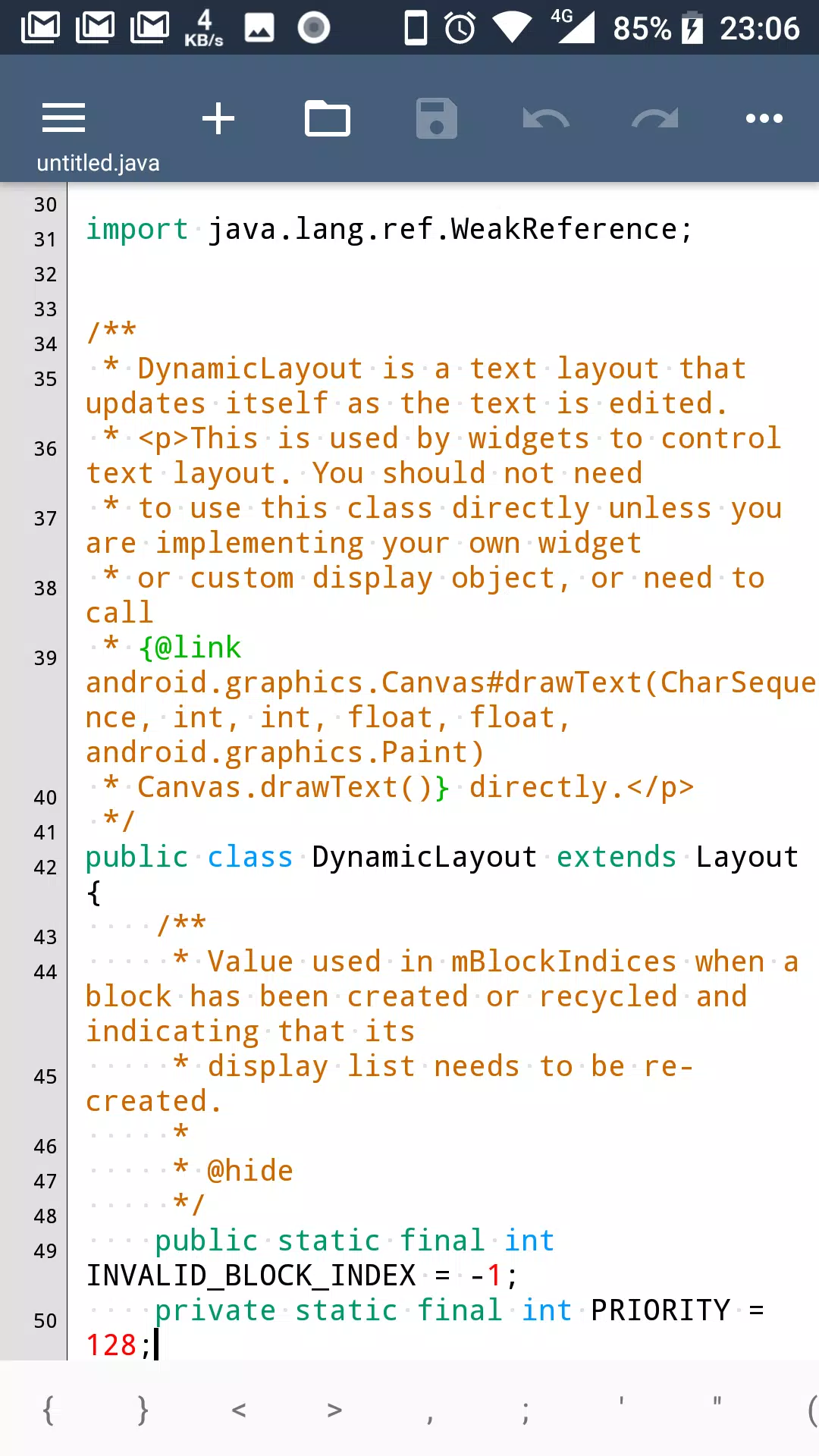
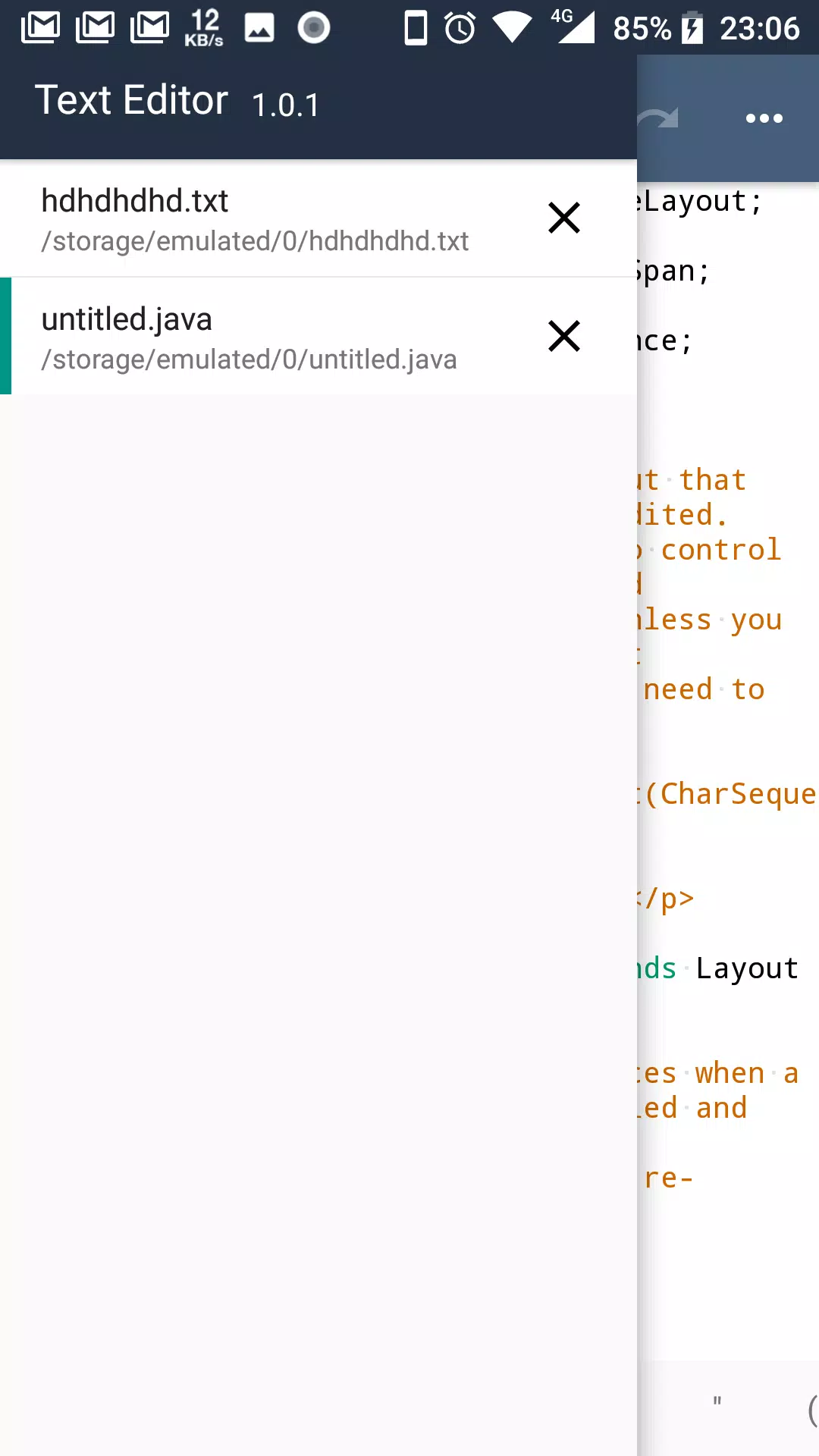
- Multi Tab, you can open different files in different tabs to facilitate you in a different text of this switch to edit syntax highlighting:ASP, ActionScript, C/C++, C#, Erlang, Frink, HTML/XML/WML, CSS, Javascript, Java, JSP, Perl, PowerShell , PHP, Python, Shell/Bash, Lua, SQL, VB/VBS, Tcl, TeX/LaTeX, Verilog, AutoHotKey, AutoLisp, Pascal, Fortran, ColdFusion, Smail etc...
- show line numbers
- show blank characters (tabs, line breaks)
- code folding
- automatically detects the open file encoding, and you can also convert the current file encoding support: ISO-2022-CN, BIG5, EUC-TW, GBK, GB2312, ISO-8859-5, KOI8-R, WINDOWS-1251, MACCYRILLIC, IBM866, IBM855, ISO-8859-7, WINDOWS-1253, ISO-8859-8, WINDOWS-1255, ISO-2022-JP, SHIFT_JIS, EUC-JP, ISO-2022-KR, EUC-KR, UTF-8, UTF-16BE / UTF-16LE, UTF-32BE / UTF-32LE / X-ISO-10646-UCS-4-34121 / X-ISO-10646-UCS-4-21431, WINDOWS-1252
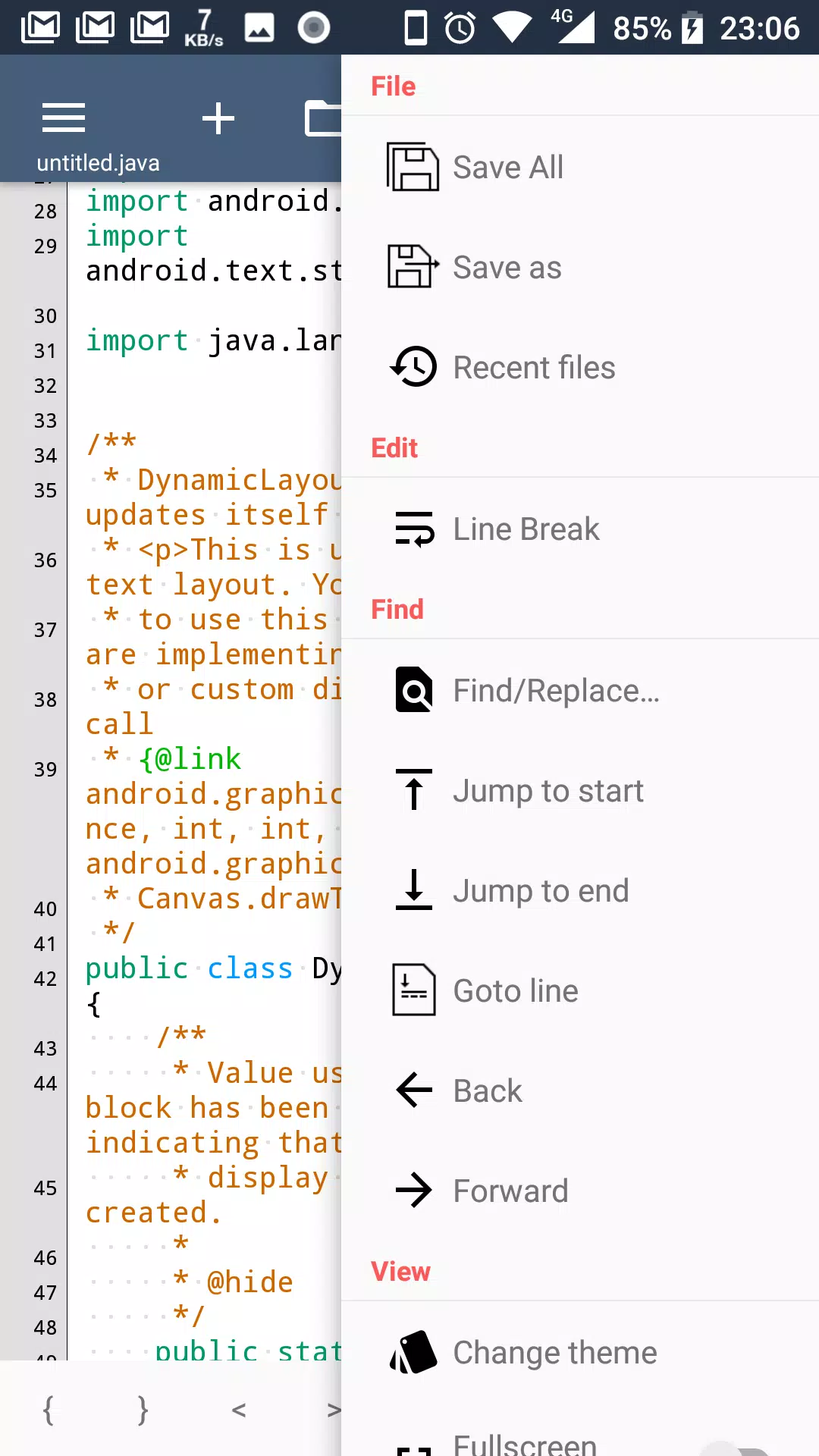
- easy toolbar, you can quickly doing a new file, open, save, save as, undo/redo, and some commonly used symbols, back to last edit location, etc.
- list of recently opened files history
- regular search, replace or replace all
- change the font and font size
- “Word wrap” switch
- lock the screen orientation in: auto, horizontal or vertical
- remember the last open file
- hide the soft keyboard, long press the edit area can be turn on
- long press the “edit area” you can convert selected text to uppercase or lowercase
- auto indent
- keep the screen in the awake state
- you can run at ROOT permissions
- easy’s file manager, you can delete or rename the file, or open with other application to view, copy/move etc. to manage files
- use the volume keys to quickly switch the display/hide the toolbar, full-screen mode
- preview the HTML file
- Color Picker
- Dark Theme
Last updated on 2018年04月19日
此版本包含小幅错误修复和常规改进。请更新至最新版本,以获得更佳体验。