Download free APK/XAPK files from Google Play Store without a login account.
Install Now
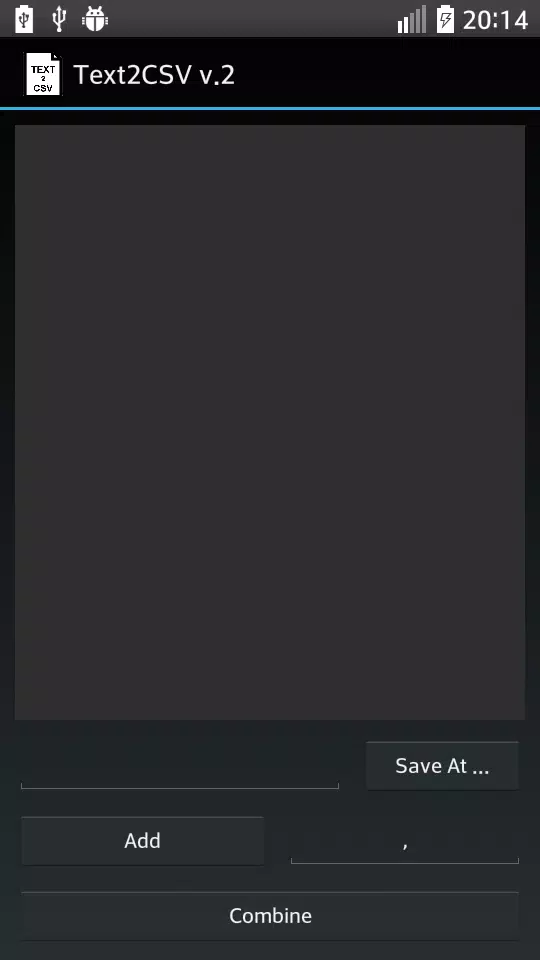
With Text2CSV you can combine line by line text files and create a CSV file. The CSV file is a file that have text separated with a char, usually the comma (,). It's useful when you work with spreadsheet programs like excel or databases.
As usual no ads and no internet required.
With button Add you add files to be combined.
With button Save At you declare where you want to save the result.
Long press the Save At for adding the .csv extension to the result string.
With button Combine you start the process.
Also you can change the split char, default is , and type directly a path for the result file.
Long press an item in the list of files, you can remove the item.
keywords: csv spreadsheet database sql db excel text line combine
آخرین نسخه
0.2بارگذاری شده توسط
Ryan Davis
نیاز به اندروید
Android 2.0+
دسته بندی
رایگان برنامه ابزاررتبهبندی محتوا
Everyone
گزارش
گزارش محتوای نامناسبLast updated on 22/01/2017
این نسخه شامل رفع اشکالات جزئی و بهبودهای عمومی است. برای بهترین تجربه، برنامه را به جدیدترین نسخه به

APKPure - یک فروشگاه برنامه چند پلتفرمی که در درجه اول روی Android متمرکز شده و محتوای گسترده مربوط به برنامه را ارائه می دهد. برنامه مورد نظر خود را آسانتر ، سریعتر و ایمن تر با بارگیری و نصب سریع و کارآمد کشف کنید.