Download free APK/XAPK files from Google Play Store without a login account.
Install Now


Virtual Master suits users who need a separate space for work, gaming, or privacy without carrying a second phone. It creates a complete Android environment that lives inside your device, so your regular apps and the virtual system stay apart. As it works locally, you get responsive control and can tailor the virtual space to your routine. If you plan to download Virtual Master, think about the tasks you want to split, then set up a system that matches those needs.
Isolated privacy sandbox
Virtual Master runs apps inside a sealed Android system, which keeps them away from your main data. Apps in the virtual space cannot read your contacts, SMS, or device ID, so sensitive information stays out of reach. This structure helps you try tools or social apps without exposing your primary phone content.
Multi‑account for social and games
You can clone apps inside the virtual system and sign in with different accounts on the same device. This setup fits players who run daily tasks on multiple game profiles and users who separate personal and work logins. It also keeps accounts organized since each clone stays inside its own virtual environment.
Background running for continuous tasks
Virtual Master lets apps and games in the virtual system keep running while you use other apps on your main phone. This helps with auto tasks, downloads, or long game sessions that need to stay active. As a result, you move between spaces smoothly without stopping the activity inside the virtual OS.
Vulkan support for better game performance
With Vulkan enabled inside the virtual Android system, many high‑end games can run more smoothly. This matters for users who push graphics or maintain multiple game accounts. If your titles support Vulkan, you may see steadier frames during extended play in the virtual environment.
Multiple virtual systems with customization
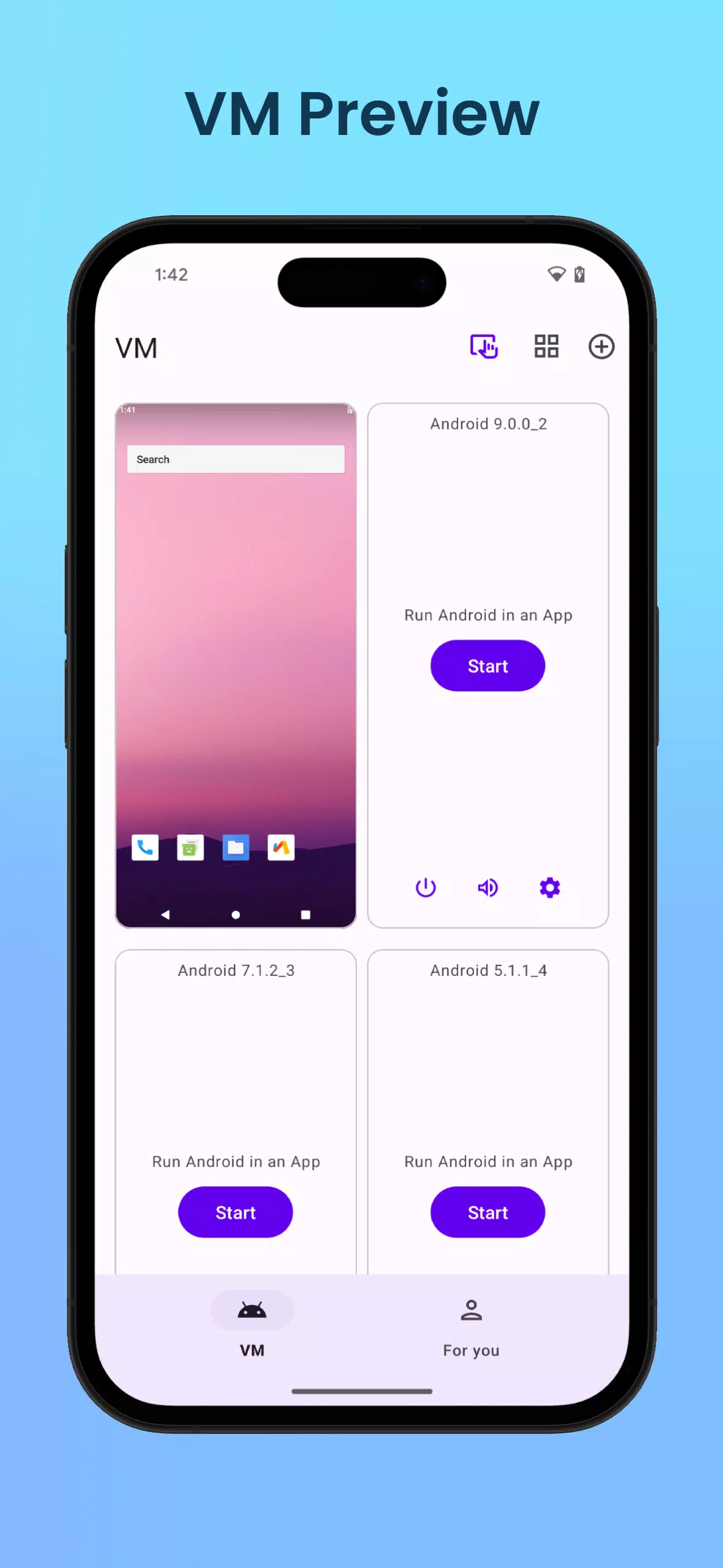
Virtual Master allows you to set up separate systems for different goals, such as Work, Game, or Privacy. You can customize the launcher and wallpaper in each system, then switch between them as needed. Compared with simple app cloning tools, this gives a complete OS per setup, which keeps workflows and data cleanly divided.
Virtual Master provides a full local Android OS rather than just duplicating an app. This approach offers stronger isolation for data and clearer boundaries between tasks. Since it runs on your device, it does not depend on external cloud infrastructure for basic use. If you need community tips or tutorials, visit the official website to find the latest guides and channels.
Many “dual space” tools copy an app but still rely on your main system for resources. Virtual Master instead creates a separate Android environment, which contains its own settings, home screen, and app set. Because the system is complete, you can build distinct spaces for different purposes and switch with less overlap. Desktop tools like VirtualBox are not needed, because this setup is made for Android devices.
To begin, install the app and open it to create your first virtual system. Inside the virtual space, you control what to install and how it looks, then manage accounts as needed. If you prefer a lightweight setup, start small with essential apps and expand once you feel comfortable with the flow. For reference, Virtual Master APK can be used to set up multiple environments on one phone.
Virtual Master creates a local, isolated Android environment for multi‑account use, gaming, and privacy separation. It helps you run apps in the background and keep data cleanly divided. For a stable setup, check for the Virtual Master latest version before starting a new system.
For official resources and community updates, visit the link below.
Latest Version
3.2.67Uploaded by
Jeremiah D Rains
Requires Android
Android 5.1+
Category
Free Tools AppContent Rating
Everyone
Security Report
Report
Flag as inappropriateLast updated on Jul 2, 2026
1. Fixed some issues





APKPure - A multi-platform app store primarily focused on Android, providing extensive app-related content. Discover the app you want easier, faster, and safer, with quick and efficient downloads and installations.