Download free APK/XAPK files from Google Play Store without a login account.
Install Now

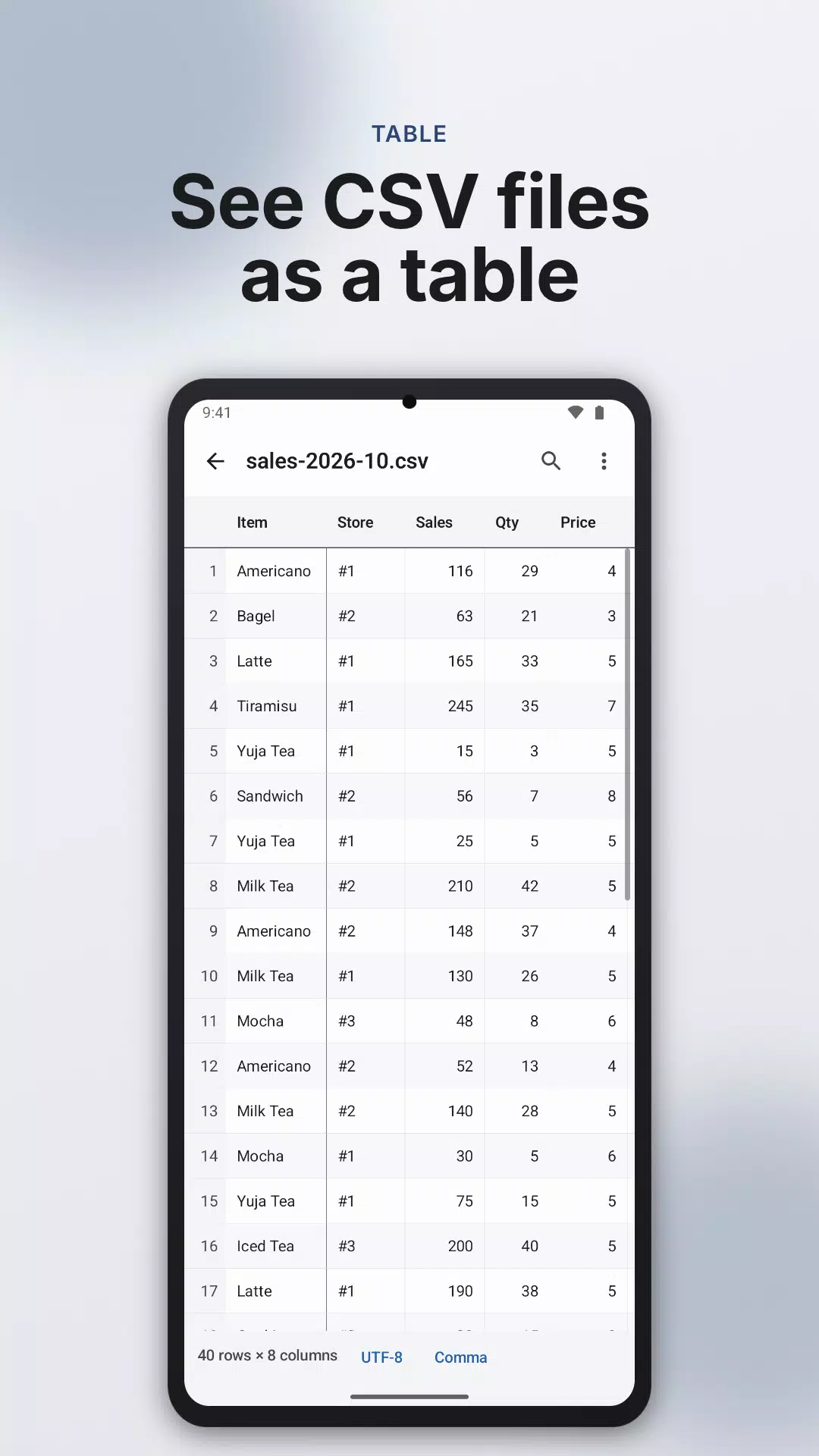
Open a CSV file as a table, sort a column, keep only the rows that match, and find any value. No account needed.
■ The table
- The first row becomes the header and stays at the top while you scroll down.
- The first column stays on the left while you scroll sideways. Using the first row as the header and freezing the first column each have their own switch.
- Every row has a number, and number columns are right-aligned.
- Tap a cell to read its full text when it is cut off.
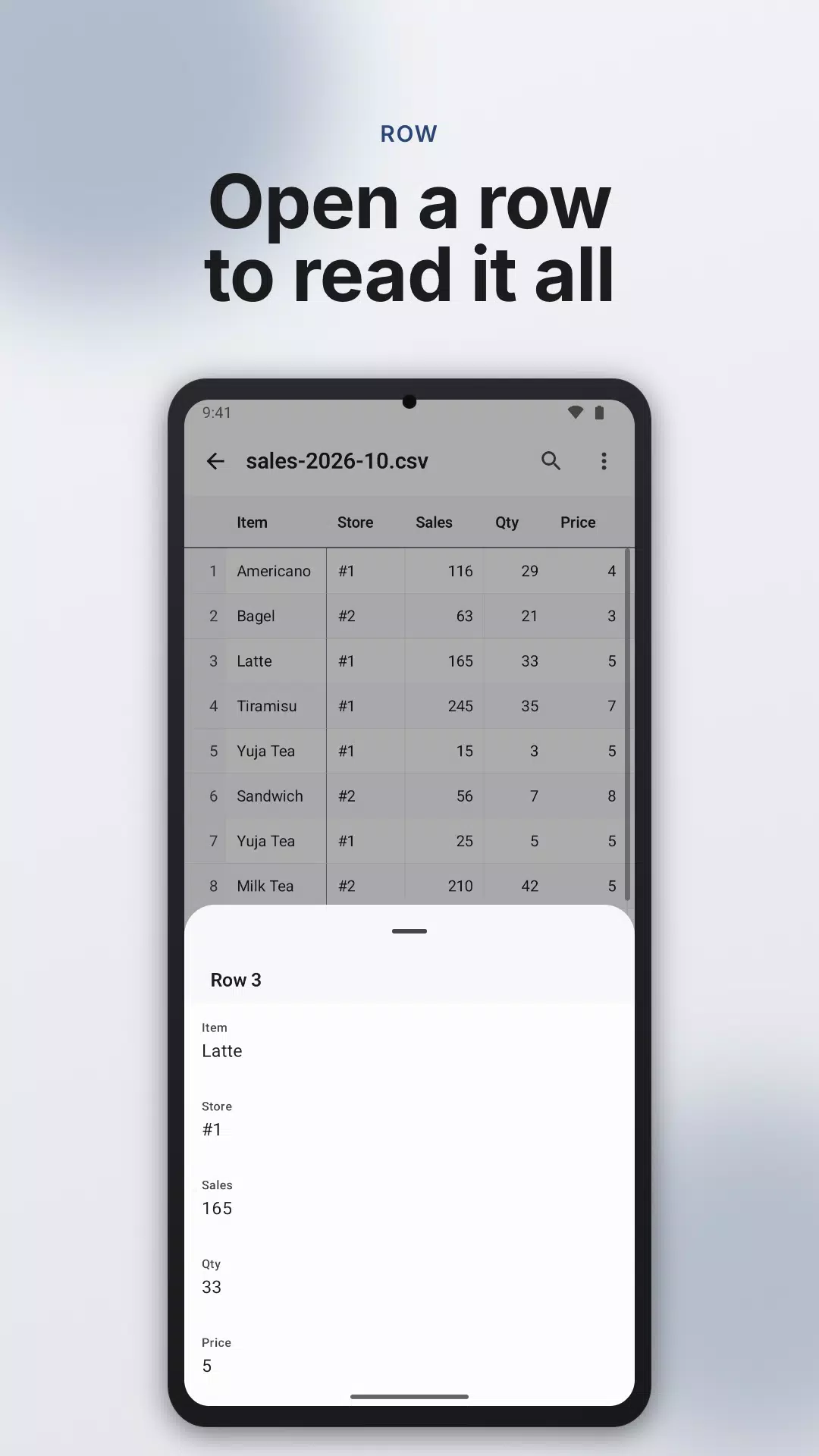
- Tap a row number to see that row as a list, each value next to its header.
- Copy one cell or one whole row.
- Portrait and landscape both work.
■ Sort, filter, find
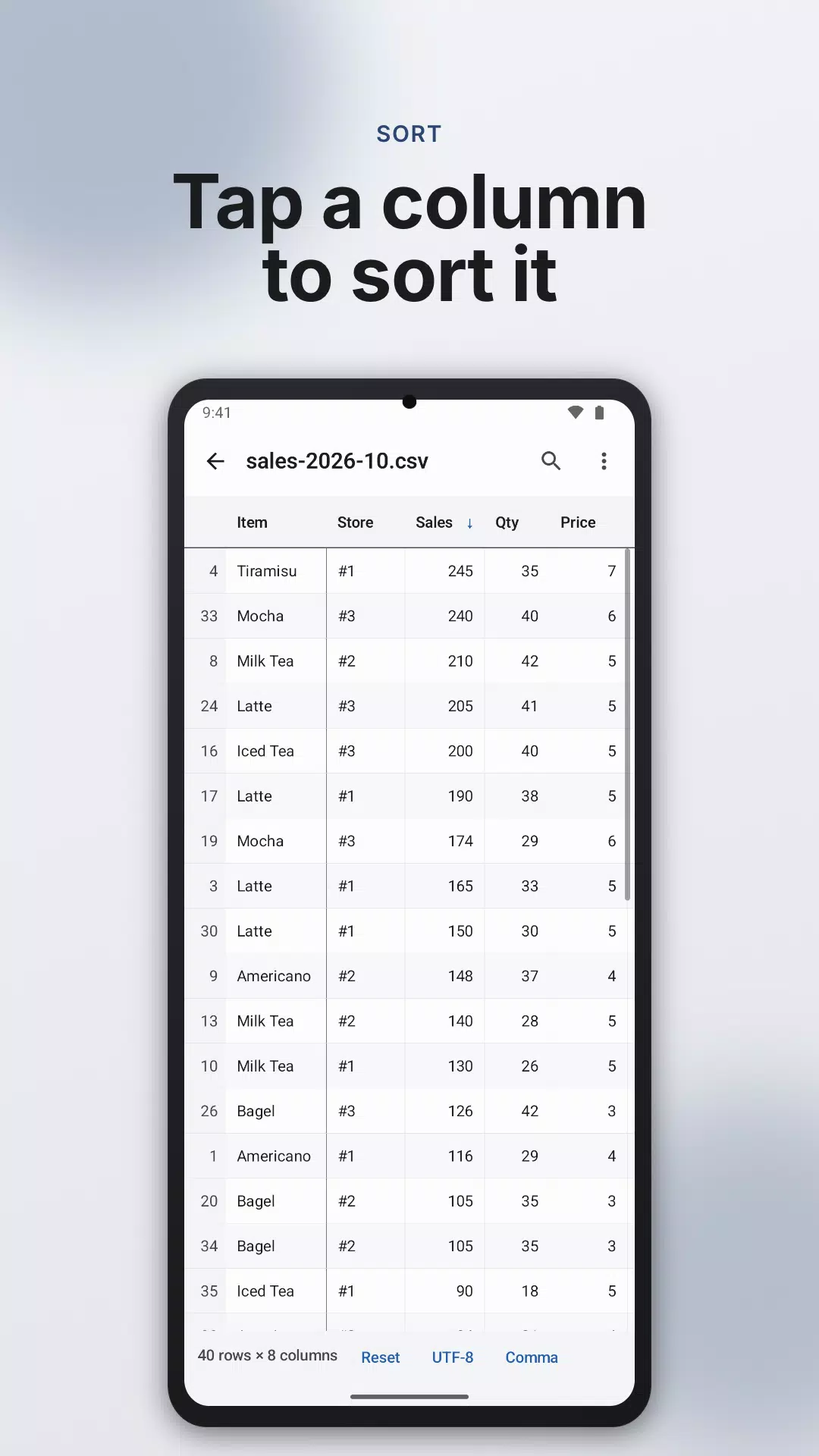
- Tap a header to sort by that column, ascending or descending. Number columns sort by value, not by spelling.
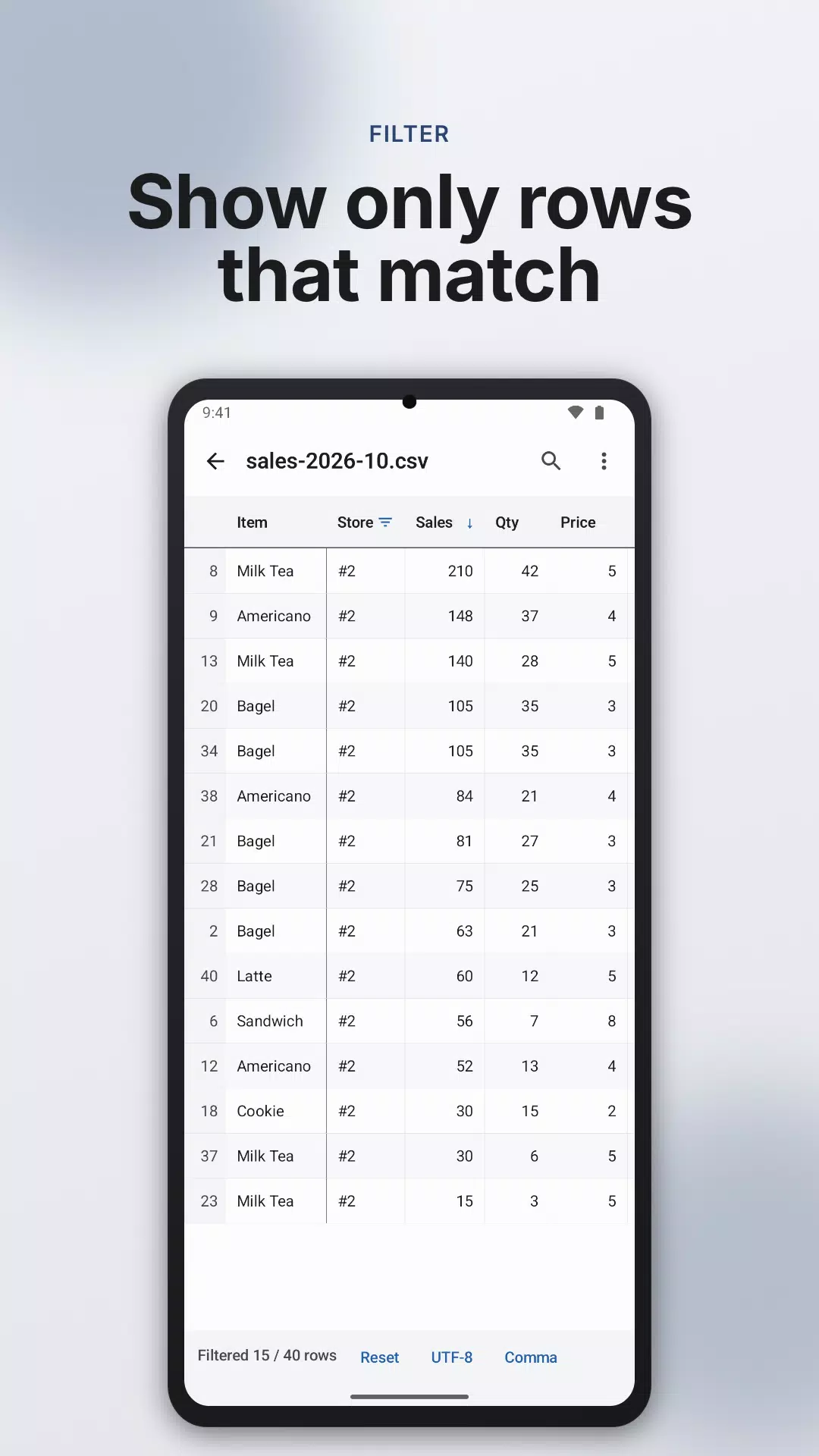
- Put a condition on a column to keep matching rows: contains, equals, or is not empty.
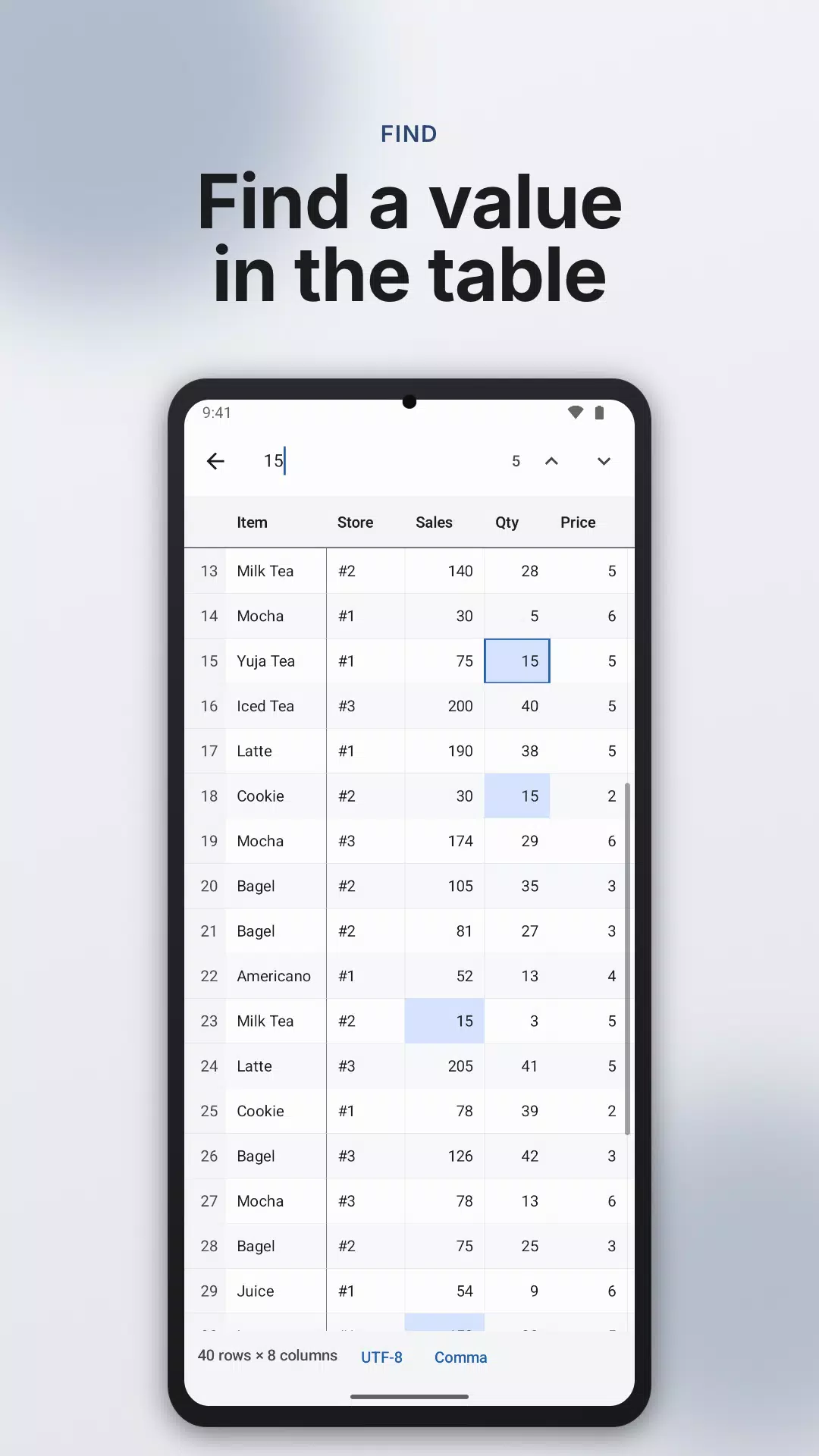
- Type a word to highlight every matching cell in the table, and step to the next or previous one.
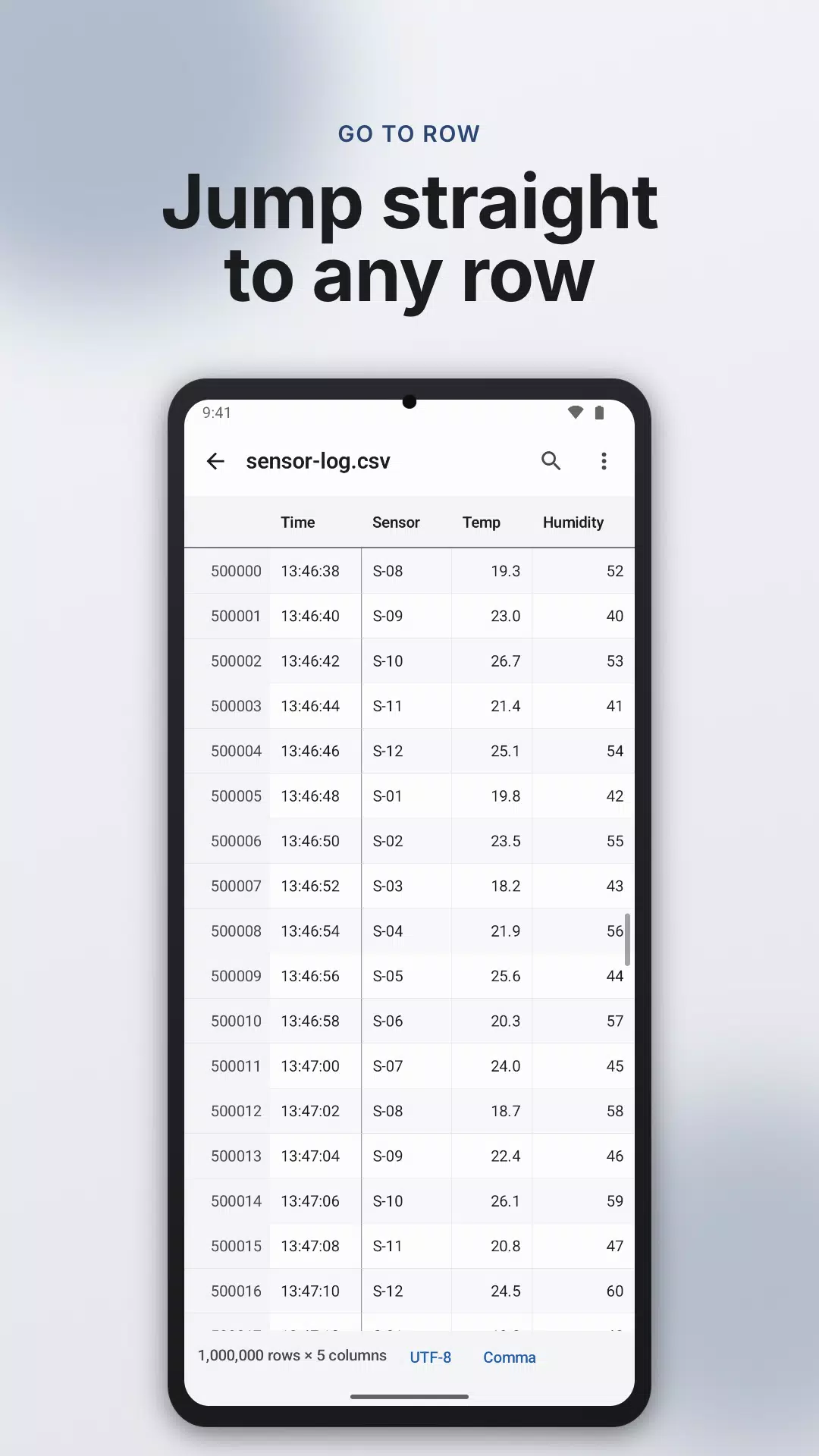
- Enter a row number to go there, or drag the scroll bar to jump through a long file.
- Sorting and filtering apply to one column at a time.
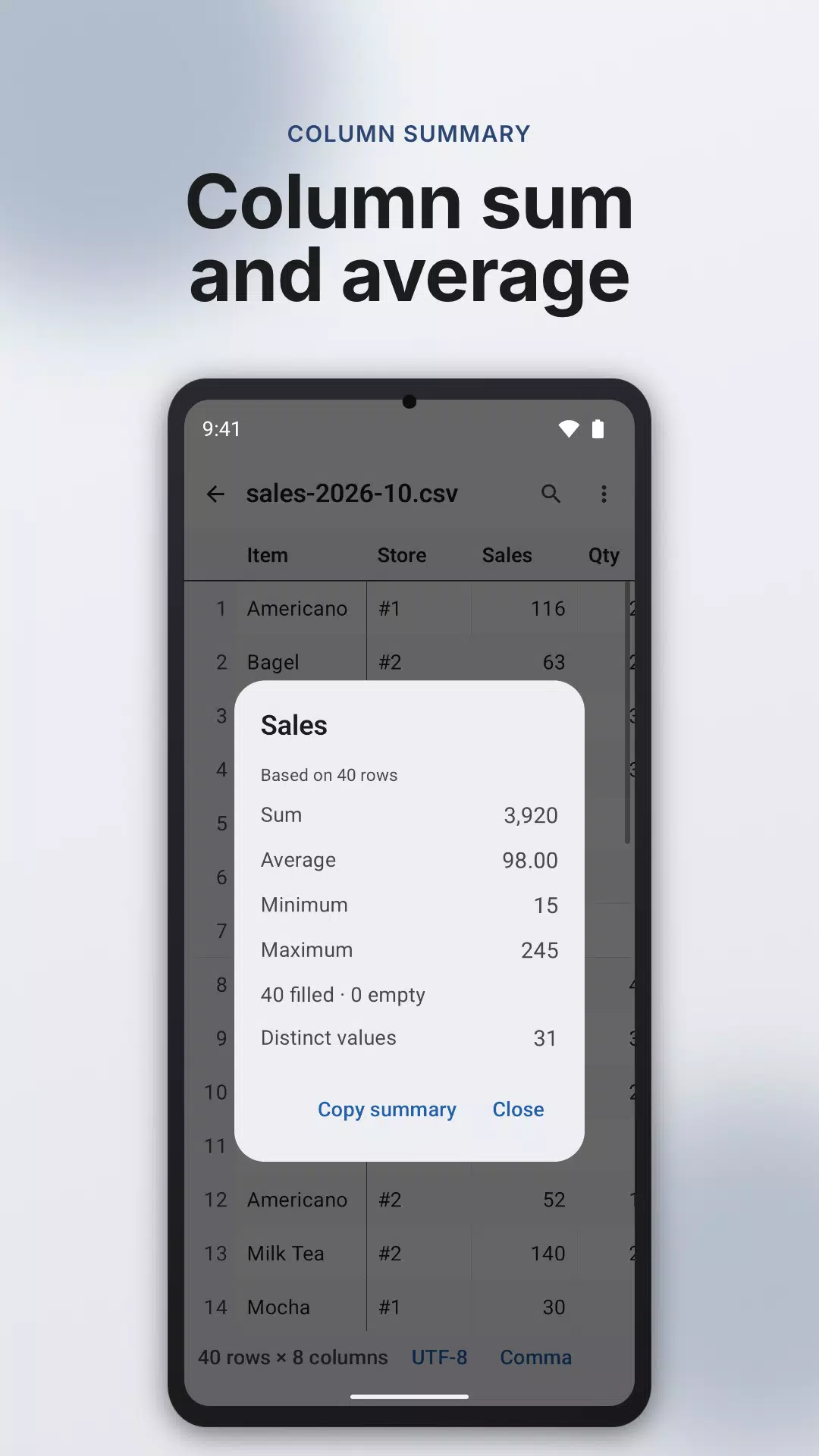
- Column summary shows the sum, average, smallest and largest value and how many different values, for filtered rows too.
■ CSV files from anywhere
- Comma, tab, semicolon or pipe (|): the character that separates cells is detected for you. If the guess is wrong, change it yourself.
- The text encoding is detected so letters show correctly (UTF-8, UTF-16, EUC-KR, windows-1252). If letters look broken, choose it yourself, with Shift_JIS, GBK and Big5 added to the list.
- Quoted cells are read as one cell, including commas and line breaks inside them.
- Rows with a different number of cells still appear in the table, and the app tells you how many there are and where the first one is.
- Tap a CSV file in your file app to open it here.
■ Files with many rows
- Files with a great many rows open too, up to 1,000,000 rows. On devices with little memory the app loads fewer and tells you how many rows are shown.
- A very large file is read up to a point, and the screen says how far.
- On very large files a long text column may not be sortable on some devices, and the app says so.
■ Export
- Share the original file with another app as it is (not offered for a large file that was read only in part).
- Save a CSV whose non-English text stays readable in spreadsheet programs such as Excel (UTF-8 BOM).
- Save with another delimiter: comma, tab, semicolon or pipe.
- After filtering or sorting, save the rows you see, in the order you see them, as a new file.
- Print the rows you see, or save them as a PDF.
■ Before you install
- This app only shows tables. It does not change cell values or overwrite your file.
- Spreadsheet files such as xls and xlsx cannot be opened. Save the sheet as CSV first.
- Requires Android 8.0 or later.
■ Files and privacy
Only the file you pick is read, and the app does not ask for access to all of your storage.
What you load into the table is processed on this device only. When you close the table the app removes the copy it made, and that copy is never part of a backup.
The internet connection and advertising ID are used only to show ads and send usage statistics, and Google services process device information for this. See the privacy policy for details.
Contact: dev@indieway.xyz
Latest Version
1.0.0Uploaded by
บีม มันร้าย
Requires Android
Category
Free Tools AppContent Rating
Everyone
Security Report
Check Now
Report
Flag as inappropriateLast updated on Oct 7, 2026
- Open CSV and TSV files as a table.
- Sort a column, filter rows by a condition, and find values in the table.



APKPure - A multi-platform app store primarily focused on Android, providing extensive app-related content. Discover the app you want easier, faster, and safer, with quick and efficient downloads and installations.